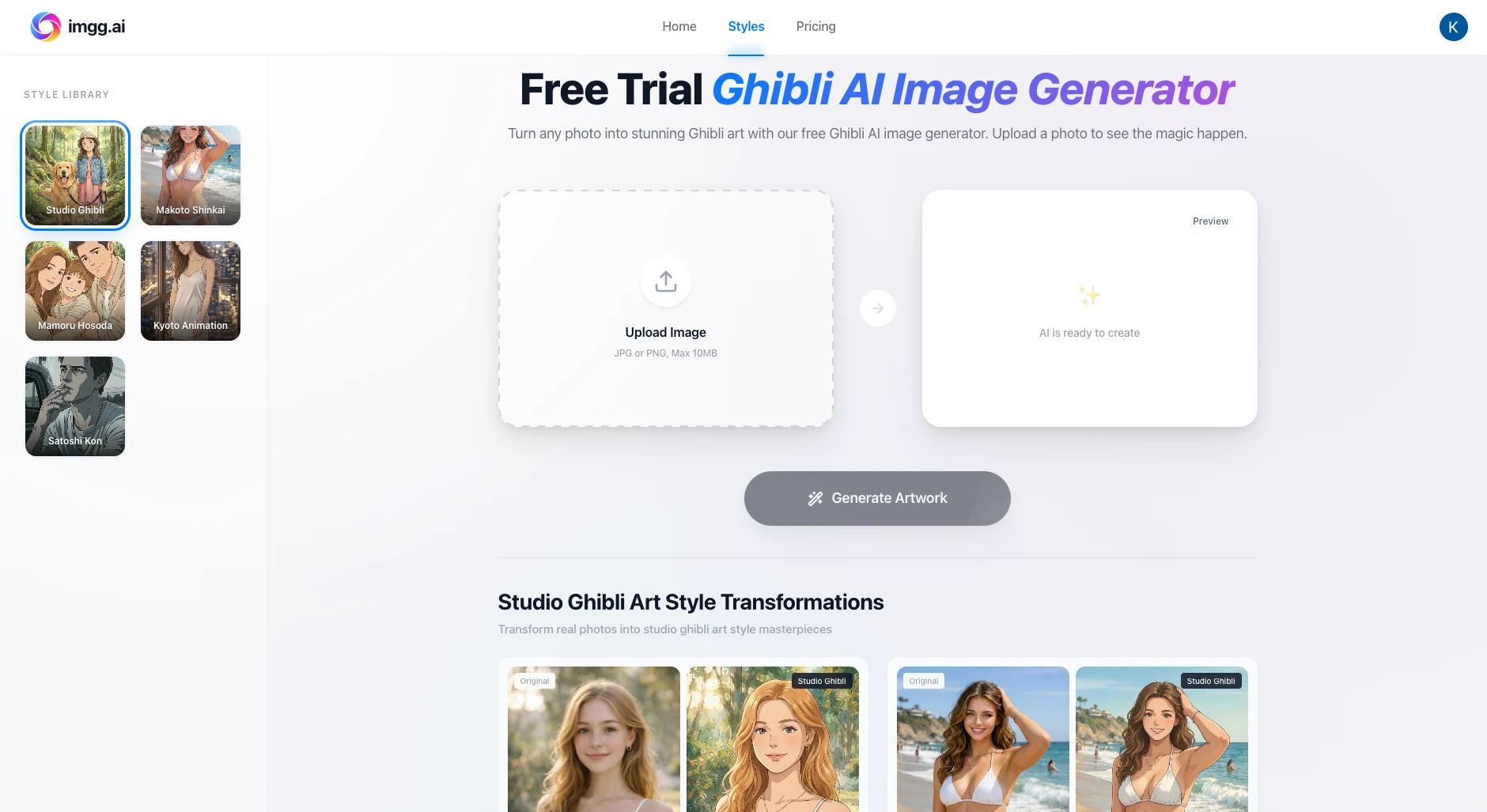
IMGG.ai is an AI-driven image creation platform focused on fast, practical visual output. Its core promise is simple: upload a photo (or start from a concept), pick a direction, and produce an image that looks ready to share, ship, or reuse across your product, marketing, or personal workflow. In practice, IMGG.ai emphasizes two complementary paths:
- Photo-to-style conversions through a curated Style Library
- “AI style transformations” (appearance-oriented edits) powered by a credit-based usage model
This makes IMGG.ai especially attractive if you want repeatable results, clear pricing mechanics, and a straightforward UI flow.
1) Style Library: Photo → Aesthetic Transformation
A major entry point on IMGG.ai is the Style Library, where you take an existing photo and convert it into a recognizable visual aesthetic. The library includes styles inspired by well-known animation and cinematic looks—useful for turning ordinary photos into cohesive “series” content for social media, avatars, wallpapers, gifts, and themed brand visuals.
Example styles and what they aim to deliver
- Ghibli-style conversion: positioned around warm, painterly, hand-crafted charm—often described with watercolor-like texture and soft palettes. :contentReference[oaicite:1]{index=1}
- Makoto Shinkai-style conversion: positioned around cinematic lighting, dramatic skies, and a vivid, high-contrast atmosphere—aiming to preserve identity and composition while transforming the scene’s “film-like” mood. :contentReference[oaicite:2]{index=2}
- Satoshi Kon-style conversion: positioned around cinematic framing, film-grain tension, and psychological-thriller tone—useful for moody urban shots, nighttime scenes, and editorial posts. :contentReference[oaicite:3]{index=3}
Typical use cases
- Avatars & profile photos: keep the original composition but change the “world” and palette
- Couples / family / pet portraits: unified aesthetic across multiple images
- Travel photos: reimagine scenery into a consistent cinematic theme
- Social content series: post “Episode 1–10” style drops without requiring manual illustration
The key advantage is speed: the Style Library is designed to reduce prompt complexity and let you choose outcomes through a style-first workflow instead of deep prompt engineering.
2) AI Style Transformations: Credit-Based Appearance Edits
For appearance-oriented edits (the platform calls these AI style transformations), IMGG.ai uses a clear, predictable credit model:
- Credits power your AI style transformations
- Each transformation (hair, glasses, beard) costs 2 credits per image
- You can choose Pay-as-you-go (occasional use) or Subscription (monthly credit allowance for frequent use)
- Subscriptions can be canceled anytime :contentReference[oaicite:4]{index=4}
This is a pragmatic pricing approach: it makes cost per output easy to estimate, especially when you’re running many iterations.
Why this matters operationally
If you are building a workflow around repeated attempts—e.g., trying multiple hairstyle options on the same base portrait—you can plan costs upfront:
- 1 output = 2 credits
- 10 attempts = 20 credits
- 50 attempts = 100 credits
This is useful for creators and indie builders who want to control iteration burn.
3) A Practical Workflow That Produces Better Results
Most AI image tools work best when you treat them like a short iteration loop instead of “one-shot magic.” A simple workflow for IMGG.ai looks like this:
-
Start with the right input
- Use a sharp, well-lit photo with a clear subject.
- Avoid heavy motion blur, extreme shadows, or heavily compressed images.
-
Pick the direction early
- Choose a Style Library preset (e.g., Ghibli / Shinkai / Kon) when you want aesthetic coherence fast.
- Use appearance transformations (hair / glasses / beard) when your goal is a controlled, localized change.
-
Iterate in small batches
- Generate 3–6 variations first.
- Select the best “base” result and only then do additional refinement.
-
Keep a consistent series
- If you want multiple outputs that feel like the same “collection,” reuse:
- similar source images,
- the same style page/preset,
- and the same framing.