
Navigation Menu
Audio Cable turns your browser into a real-time virtual microphone mixer.
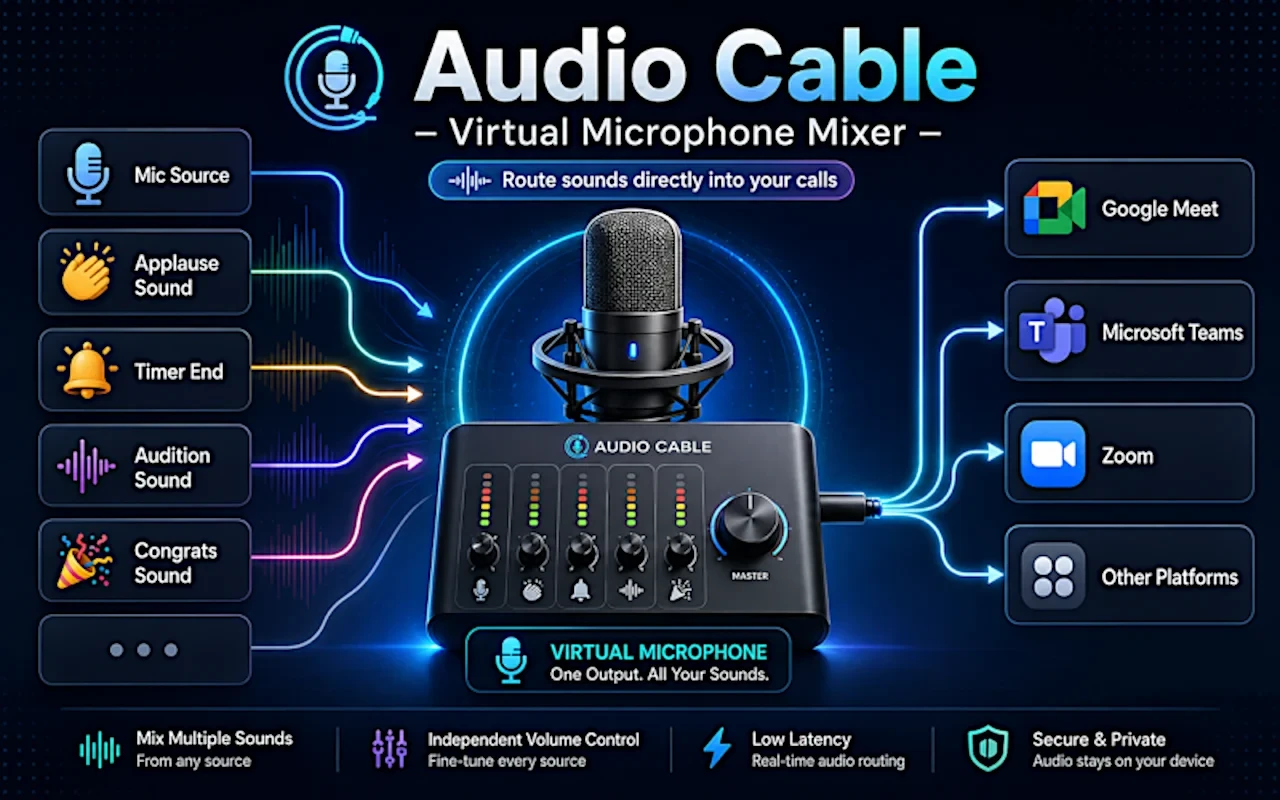
Audio Cable creates Audio Cable Virtual Mic, a selectable microphone input that works inside web-based communication tools such as Google Meet, Zoom, Discord, Microsoft Teams, Whereby, and other apps that use your browser microphone.
Once selected, the virtual mic sends a live mix of your real microphone and any audio clips you choose to play. You can trigger sound effects, intros, transitions, background ambience, music clips, pre-recorded speech, lesson audio, or any other local audio file directly into your call — without installing desktop software, drivers, or a separate virtual audio cable app.
Main features:
🎙️ Create a virtual microphone in your browser: Select “Audio Cable Virtual Mic” in your web app’s microphone settings and use it like a normal microphone.
🎚️ Mix your real microphone with audio assets: Speak through your physical mic while playing sounds into the same audio stream in real time.
🔊 Use it as a soundboard for calls and streams: Trigger effects, jingles, intros, reactions, transitions, hold music, or ambient background audio.
🎧 Monitor what others hear: Enable local monitoring to hear the final mixed output in your headphones before or during a call.
🎵 Upload your own audio files: Add MP3, WAV, OGG, and other browser-supported audio files to your personal library.
🏷️ Organize sounds with tags and categories: Name, tag, search, filter, and organize your audio assets in list or grid view.
🔁 Loop background sounds: Loop selected assets for continuous background music, ambience, or soundscapes.
It follows local-first and privacy rules. Your audio files stay in your browser storage. Audio processing happens locally using browser audio APIs. No cloud account is required.